Systems Manager Run Command இல் தனிப்பயன் Windows பயனராக PowerShell கட்டளைகளை இயக்குதல்
இயல்பாக, Systems Manager Run Command Windows managed nodes இல் கட்டளைகளை இயக்க local SYSTEM கணக்கைப் பயன்படுத்துகிறது. எனினும், சில சூழல்களில், operations engineers கட்டளைகளை இயக்கும் போது தனிப்பயன் பயனர் அனுமதிகள் தேவைப்படுகின்றன. எடுத்துக்காட்டாக, Active Directory Domain tasks களை இயக்க அல்லது command session க்கான privileges களை scope down செய்ய.
PowerShell இல் பயனர் credentials களை கையாளும் போது, அவற்றை AWS Secrets Manager இல் சேமித்து script இலிருந்து programmatically பெற பரிந்துரைக்கிறோம். இது execution இன் எந்த கட்டத்திலும் credentials களை plain text இல் வெளிப்படுத்துவதை தவிர்க்கிறது.
Managed node க்கு Secrets Manager இல் உள்ள secret ஐ அணுக அனுமதிகள் இருக்க வேண்டும். இணைக்கப்பட்ட EC2 IAM instance profile, உங்கள் Default Host Management Configuration (DHMC) service setting இல் குறிப்பிடப்பட்ட IAM service role, அல்லது hybrid managed node க்கான IAM service role க்கு அனுமதிகள் வழங்கப்படலாம். கூடுதல் தகவலுக்கு, AWS Secrets Manager இல் secrets க்கான IAM policy எடுத்துக்காட்டுகள் ஐப் பார்க்கவும்.
Secrets Manager இலிருந்து Domain credentials களை பெற்று அந்த credentials களுடன் PowerShell script ஐ இயக்குவதற்கான script ஐ கீழே உள்ள எடுத்துக்காட்டு காட்டுகிறது:
# Retrieves AWS Secrets Manager secret
$SecretContent = Get-SECSecretValue -SecretId <SECRET_ARN> -ErrorAction Stop | Select-Object -ExpandProperty 'SecretString' | ConvertFrom-Json -ErrorAction Stop

# Creates credentials object
$Username = $SecretContent.username
$UserPassword = ConvertTo-SecureString ($SecretContent.password) -AsPlainText -Force
$Credentials = New-Object -TypeName 'System.Management.Automation.PSCredential' ($Username, $UserPassword)

# Run commands with Domain Credentials
Invoke-Command -Authentication 'CredSSP' `
    -ComputerName $env:COMPUTERNAME `
    -Credential $Credentials `
    -ScriptBlock {Write-Host "Logged in as:"$(whoami)}
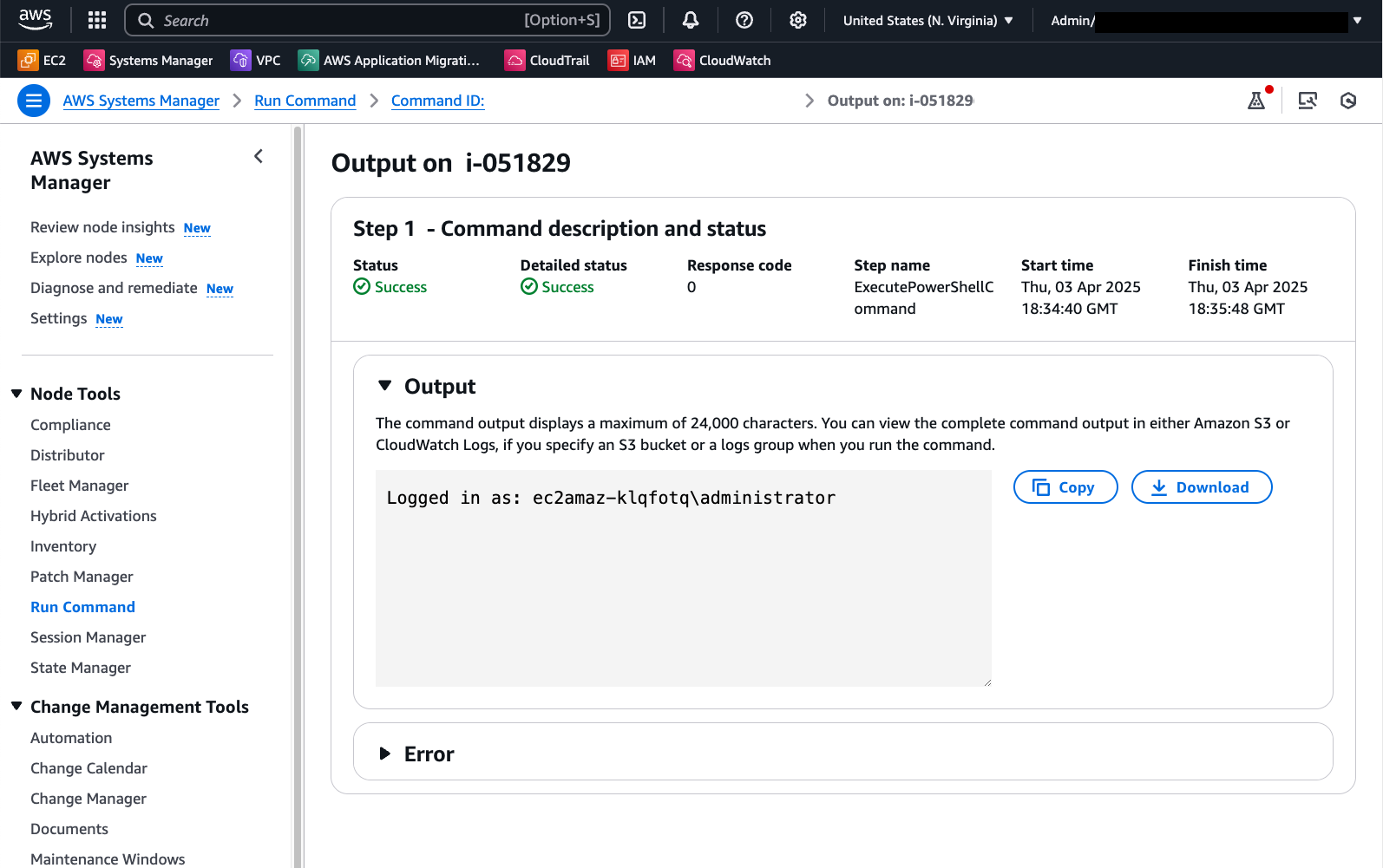
Run Command இல் வெளியீடு விரும்பிய domain user ஆக வெற்றிகரமான உள்நுழைவைக் காட்டுகிறது:
மற்றொரு மாற்று PowerShell Session (PSSession) ஐப் பயன்படுத்துவது. பின்வரும் குறியீடும் Local Administrator credentials களை பெற்று இந்த context இல் command ஐ இயக்க Secrets Manager ஐப் பயன்படுத்துகிறது:
# Retrieves AWS Secrets Manager secret
$SecretContent = Get-SECSecretValue -SecretId <SECRET_ARN> -ErrorAction Stop | Select-Object -ExpandProperty 'SecretString' | ConvertFrom-Json -ErrorAction Stop

# Creates credentials object
$Username = $SecretContent.username
$UserPassword = ConvertTo-SecureString ($SecretContent.password) -AsPlainText -Force
$Credentials = New-Object -TypeName 'System.Management.Automation.PSCredential' ("$Env:ComputerName\$Username", $UserPassword)

# Creates a new PowerShell session on the local computer using provided credentials
$Session = New-PSSession -ComputerName $Env:ComputerName -Credential $Credentials -ErrorAction Stop

# Runs a command in the remote session to start a process and wait for completion
Invoke-Command -Session $Session -ScriptBlock { Write-Host "Logged in as: $env:USERNAME" }
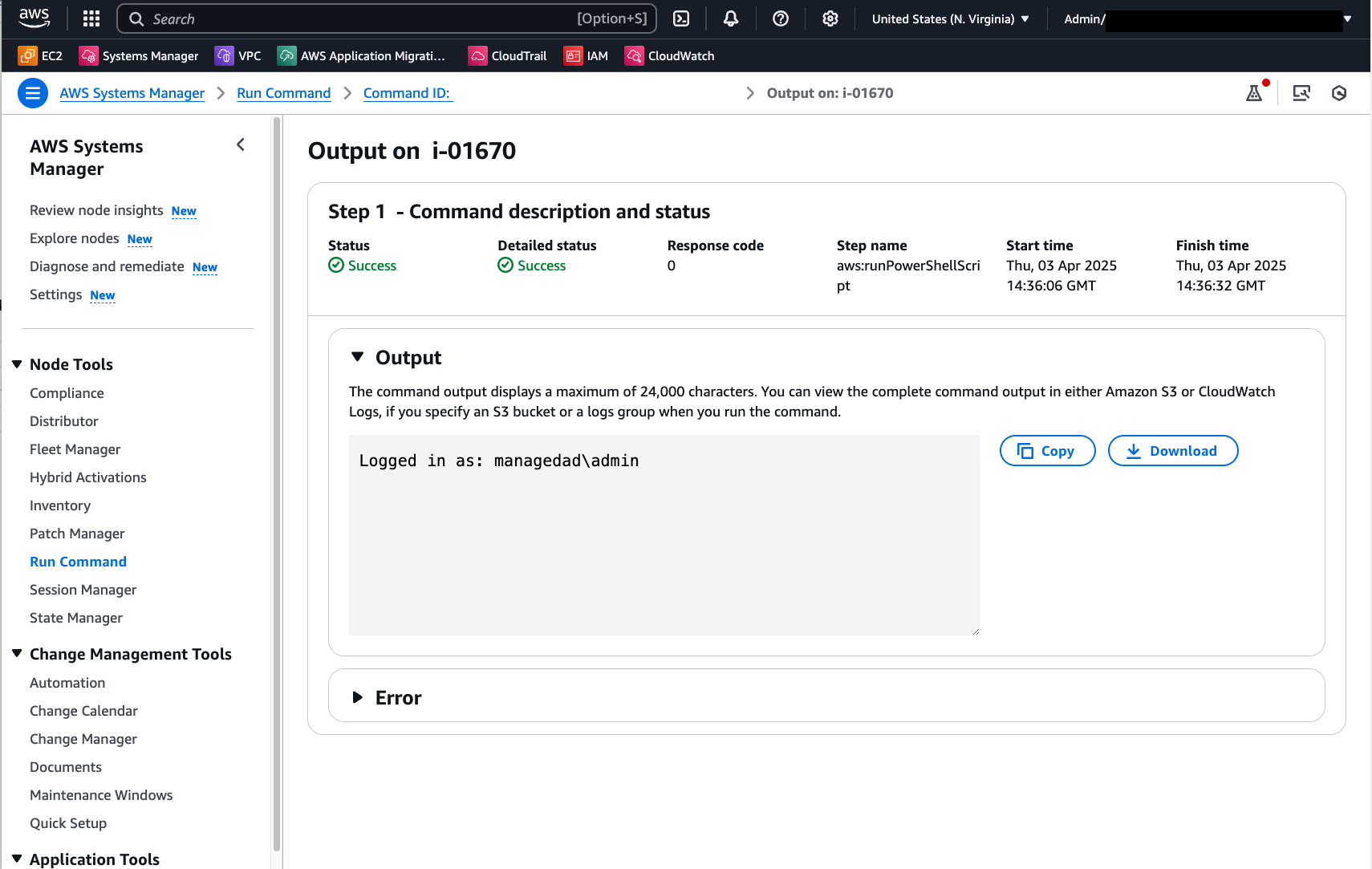
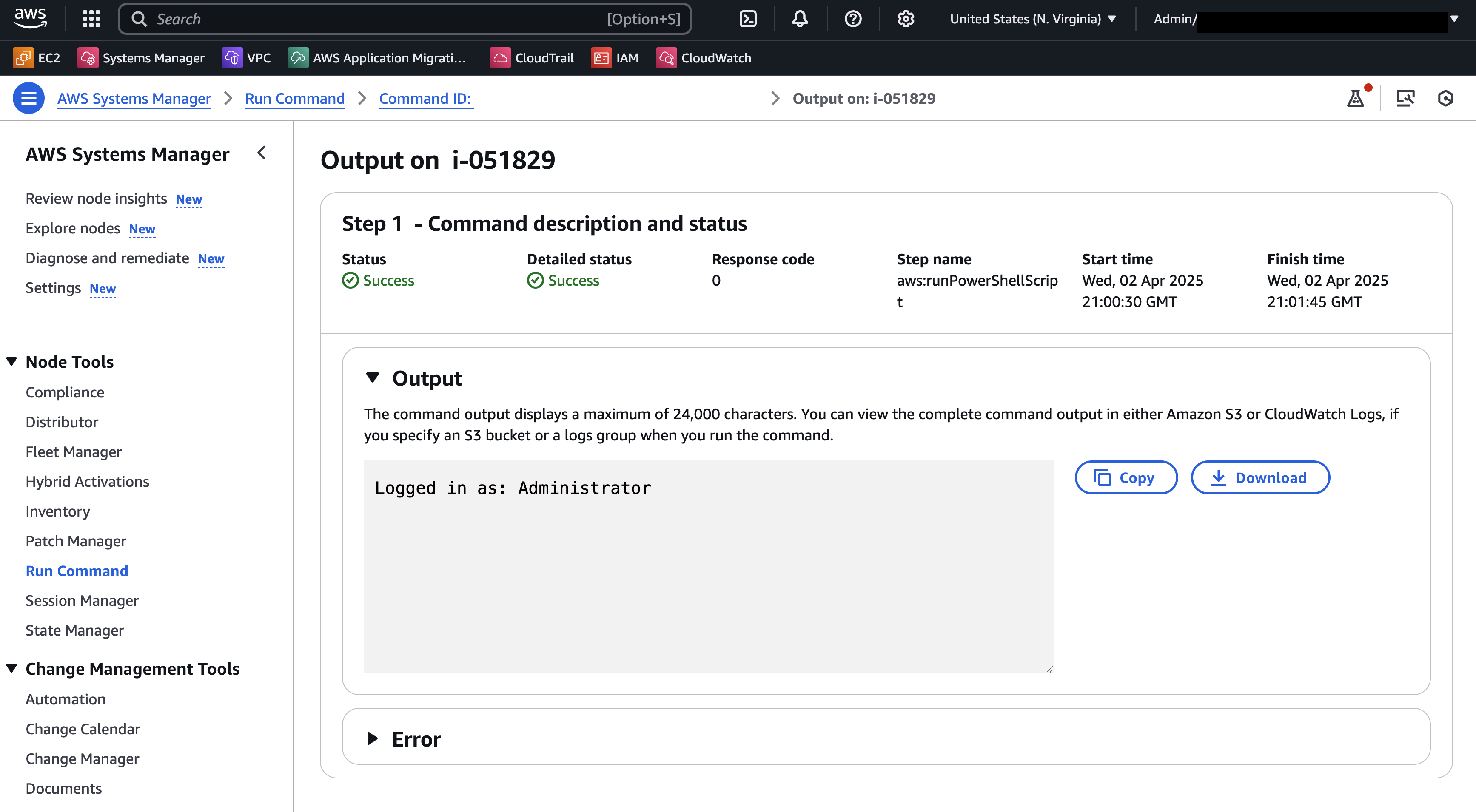
இந்த PowerShell script ஐ இயக்கிய பிறகு Run Command வெளியீட்டை கீழே உள்ள படம் காட்டுகிறது:
இந்த எடுத்துக்காட்டுகளில் பயன்படுத்தப்படும் Secrets Manager secret பின்வரும் key/value pair format இல் credentials களை சேமிக்கிறது:
{"username":"XXXXXXXXX","password":"XXXXXXX"}
Secrets Manager secret ஐ உருவாக்குவது பற்றிய கூடுதல் விவரங்களை இங்கே காணலாம்.
தனிப்பயன் credentials களை தானாகவே எடுத்துக்கொண்டு PowerShell script ஐ இயக்க தனிப்பயன் Run Command document ஐப் பயன்படுத்துதல்
Secret retrieval மற்றும் credentials manipulations ஐ தானியக்கமாக்க, கீழே உள்ள உள்ளடக்கத்துடன் தனிப்பயன் Run Command document ஐ உருவாக்கலாம்:
schemaVersion: '2.2'
description: "Command document example to retrieve a secret from AWS Secrets Manager and run a PowerShell command using the credentials"
parameters:
  SecretId:
    type: String
    description: The ARN or name of the secret to retrieve. To retrieve a secret from another account, you must use an ARN.
    default: Secret ARN or Name
  Command:
    type: String
    description: "Run a PowerShell script."
    default: Write-Host "Logged in as:"$(whoami)
    displayType: textarea
mainSteps:
  - action: aws:runPowerShellScript
    name: ExecutePowerShellCommand
    inputs:
      runCommand:
        - |
           # Retrieves AWS Secrets Manager secret
            $SecretContent = Get-SECSecretValue -SecretId {{SecretId}} -ErrorAction Stop | Select-Object -ExpandProperty 'SecretString' | ConvertFrom-Json -ErrorAction Stop

            # Creates credentials object
            $Username = $SecretContent.username
            $UserPassword = ConvertTo-SecureString ($SecretContent.password) -AsPlainText -Force
            $Credentials = New-Object -TypeName 'System.Management.Automation.PSCredential' ("$Env:ComputerName\$Username", $UserPassword)

            # Creates a new PowerShell session on the local computer using provided credentials
            $Session = New-PSSession -ComputerName $Env:ComputerName -Credential $Credentials -ErrorAction Stop

            # Runs a command in the remote session to start a process and wait for completion
            Invoke-Command -Session $Session -ScriptBlock { {{Command}} } -ErrorAction Stop
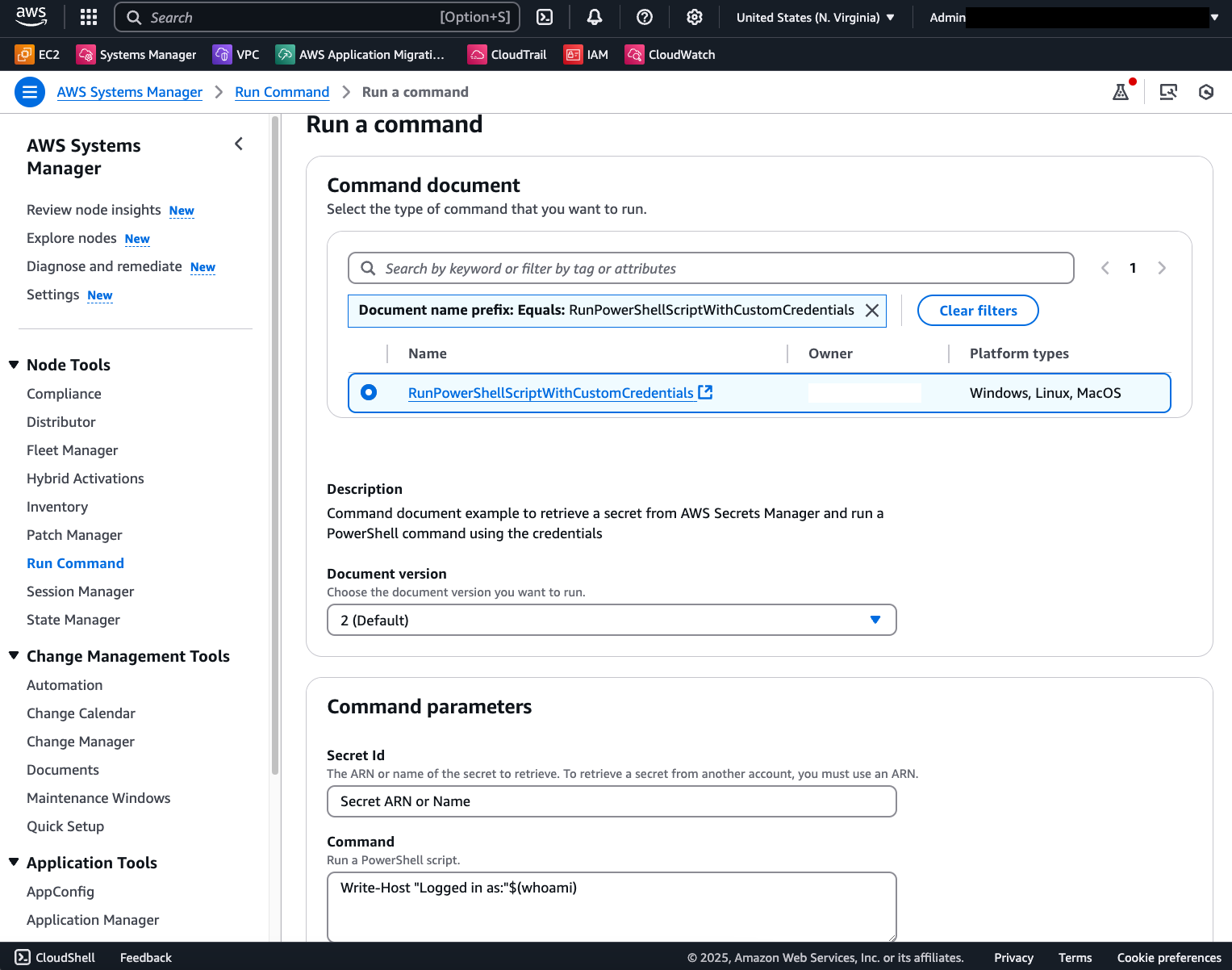
இதன் விளைவாக, ஒவ்வொரு invocation க்கும் Secret ARN மற்றும் script content மட்டுமே தேவைப்படும் template document கிடைக்கும்:
வெற்றிகரமான command invocation பின்வரும் முடிவுகளைக் காட்டும்: