Systems Manager Run Command에서 사용자 지정 Windows 사용자로 PowerShell 명령 실행
기본적으로 Systems Manager Run Command는 Windows 관리형 노드에서 명령을 실행할 때 로컬 SYSTEM 계정을 사용합니다. 그러나 특정 시나리오에서는 운영 엔지니어가 명령을 실행할 때 사용자 지정 사용자 권한이 필요합니다. 예를 들어 Active Directory 도메인 작업을 실행하거나 명령 세션의 권한을 축소해야 하는 경우입니다.
PowerShell에서 사용자 자격 증명을 처리할 때는 AWS Secrets Manager에 저장하고 스크립트에서 프로그래밍 방식으로 검색하는 것이 좋습니다. 이렇게 하면 실행 중 어떤 시점에서도 자격 증명이 일반 텍스트로 노출되지 않습니다.
관리형 노드는 Secrets Manager의 시크릿에 접근할 수 있는 권한이 있어야 합니다. EC2 IAM 인스턴스 프로파일, Default Host Management Configuration(DHMC) 서비스 설정에 지정된 IAM 서비스 역할, 또는 하이브리드 관리형 노드용 IAM 서비스 역할에 권한을 부여할 수 있습니다. 자세한 내용은 AWS Secrets Manager 시크릿에 대한 IAM 정책 예제를 참조하세요.
아래 예제는 Secrets Manager에서 도메인 자격 증명을 검색하고 해당 자격 증명으로 PowerShell 스크립트를 실행하는 스크립트를 보여줍니다:
# Retrieves AWS Secrets Manager secret
$SecretContent = Get-SECSecretValue -SecretId <SECRET_ARN> -ErrorAction Stop | Select-Object -ExpandProperty 'SecretString' | ConvertFrom-Json -ErrorAction Stop

# Creates credentials object
$Username = $SecretContent.username
$UserPassword=[REDACTED_PASSWORD] ($SecretContent.password) -AsPlainText -Force
$Credentials = New-Object -TypeName 'System.Management.Automation.PSCredential' ($Username, $UserPassword)

# Run commands with Domain Credentials
Invoke-Command -Authentication 'CredSSP' `
    -ComputerName $env:COMPUTERNAME `
    -Credential $Credentials `
    -ScriptBlock {Write-Host "Logged in as:"$(whoami)}
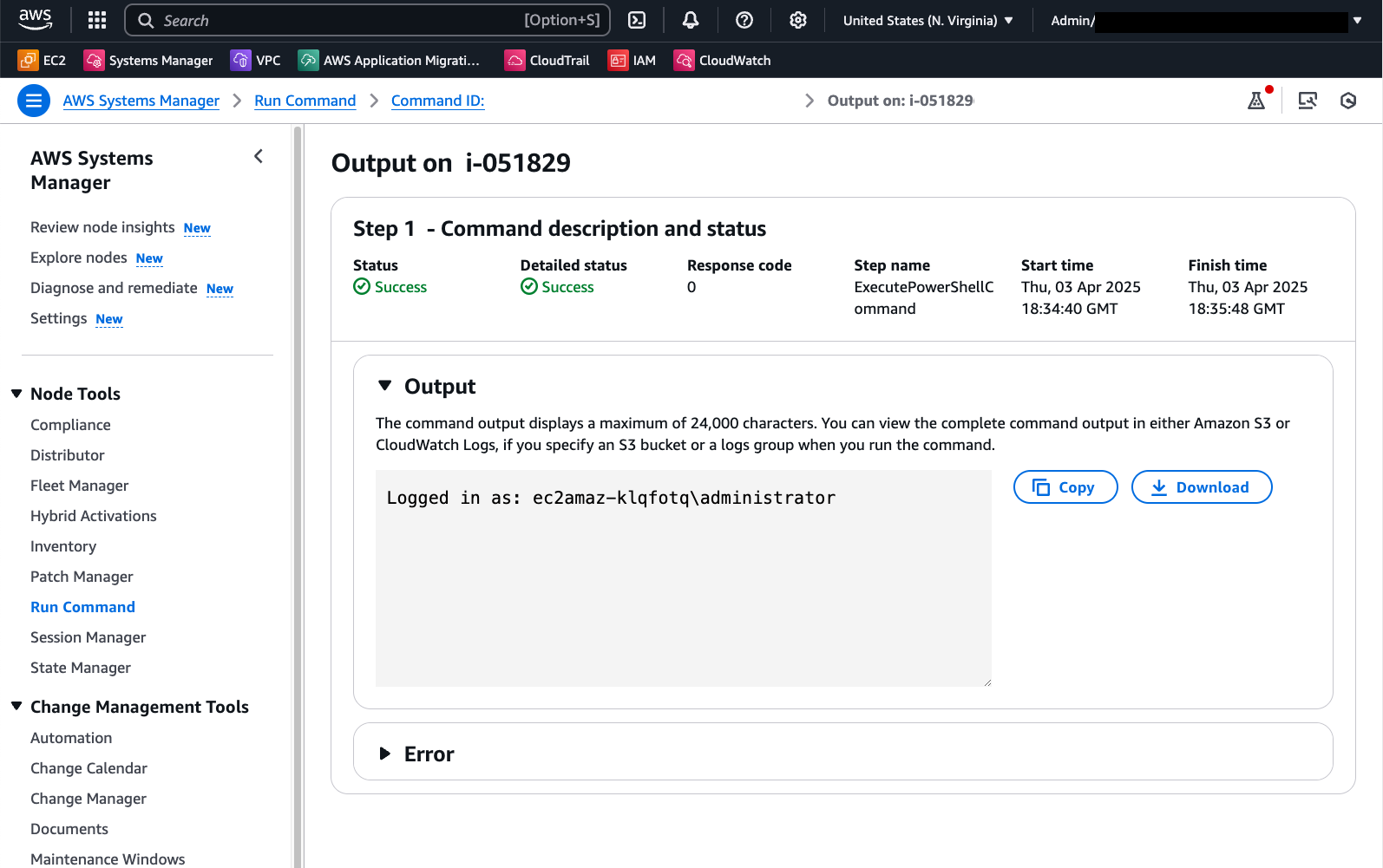
Run Command의 출력은 원하는 도메인 사용자로의 성공적인 로그인을 보여줍니다:
또 다른 대안은 PowerShell Session(PSSession)을 사용하는 것입니다. 다음 코드도 Secrets Manager를 사용하여 로컬 관리자 자격 증명을 검색하고 이 컨텍스트에서 명령을 실행합니다:
# Retrieves AWS Secrets Manager secret
$SecretContent = Get-SECSecretValue -SecretId <SECRET_ARN> -ErrorAction Stop | Select-Object -ExpandProperty 'SecretString' | ConvertFrom-Json -ErrorAction Stop

# Creates credentials object
$Username = $SecretContent.username
$UserPassword=[REDACTED_PASSWORD] ($SecretContent.password) -AsPlainText -Force
$Credentials = New-Object -TypeName 'System.Management.Automation.PSCredential' ("$Env:ComputerName\$Username", $UserPassword)

# Creates a new PowerShell session on the local computer using provided credentials
$Session = New-PSSession -ComputerName $Env:ComputerName -Credential $Credentials -ErrorAction Stop

# Runs a command in the remote session to start a process and wait for completion
Invoke-Command -Session $Session -ScriptBlock { Write-Host "Logged in as: $env:USERNAME" }
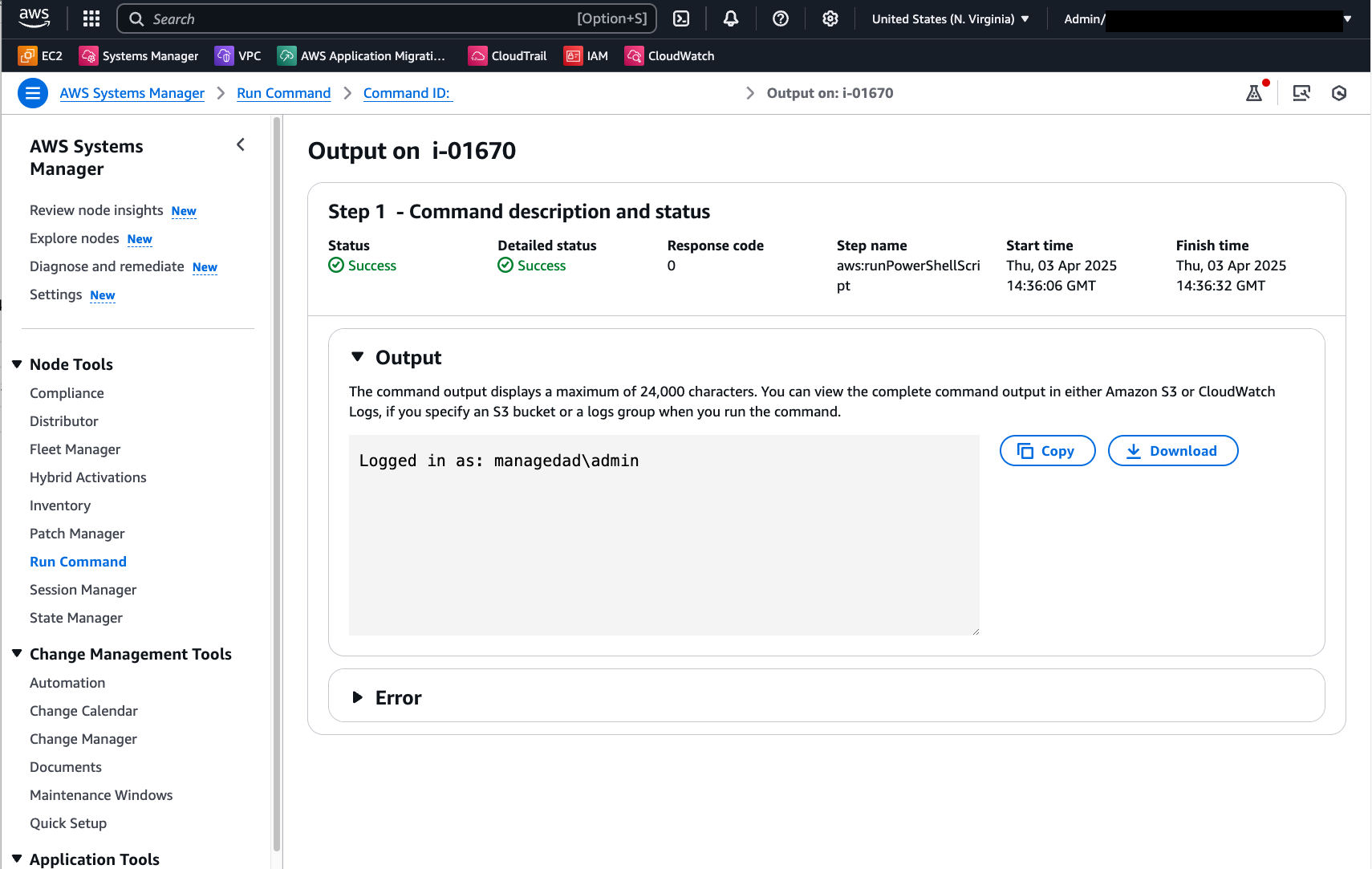
아래 이미지는 이 PowerShell 스크립트 실행 후 Run Command 출력을 보여줍니다:
이 예제에서 사용된 Secrets Manager 시크릿은 다음 키/값 쌍 형식으로 자격 증명을 저장합니다:
{"username":"XXXXXXXXX","password":"XXXXXXX"}
Secrets Manager 시크릿 생성에 대한 자세한 내용은 여기를 참조하세요.
사용자 지정 Run Command 문서를 사용하여 자동으로 사용자 지정 자격 증명을 가정하고 PowerShell 스크립트 실행
시크릿 검색 및 자격 증명 조작을 자동화하려면 아래 내용으로 사용자 지정 Run Command 문서를 생성할 수 있습니다:
schemaVersion: '2.2'
description: "Command document example to retrieve a secret from AWS Secrets Manager and run a PowerShell command using the credentials"
parameters:
  SecretId:
    type: String
    description: The ARN or name of the secret to retrieve. To retrieve a secret from another account, you must use an ARN.
    default: Secret ARN or Name
  Command:
    type: String
    description: "Run a PowerShell script."
    default: Write-Host "Logged in as:"$(whoami)
    displayType: textarea
mainSteps:
  - action: aws:runPowerShellScript
    name: ExecutePowerShellCommand
    inputs:
      runCommand:
        - |
           # Retrieves AWS Secrets Manager secret
            $SecretContent = Get-SECSecretValue -SecretId {{SecretId}} -ErrorAction Stop | Select-Object -ExpandProperty 'SecretString' | ConvertFrom-Json -ErrorAction Stop

            # Creates credentials object
            $Username = $SecretContent.username
            $UserPassword=[REDACTED_PASSWORD] ($SecretContent.password) -AsPlainText -Force
            $Credentials = New-Object -TypeName 'System.Management.Automation.PSCredential' ("$Env:ComputerName\$Username", $UserPassword)

            # Creates a new PowerShell session on the local computer using provided credentials
            $Session = New-PSSession -ComputerName $Env:ComputerName -Credential $Credentials -ErrorAction Stop

            # Runs a command in the remote session to start a process and wait for completion
            Invoke-Command -Session $Session -ScriptBlock { {{Command}} } -ErrorAction Stop
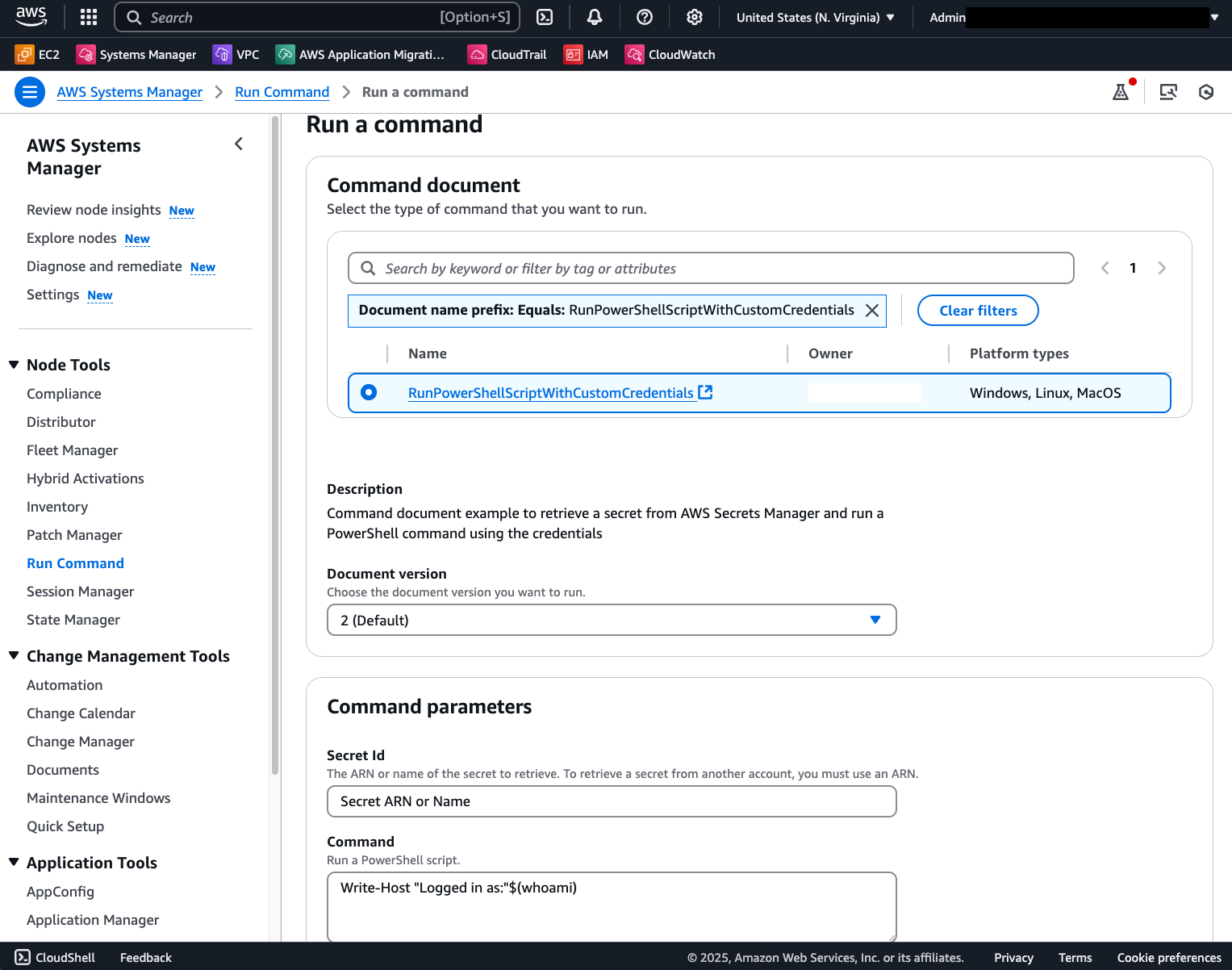
그 결과, 각 호출 시 Secret ARN과 스크립트 내용만 필요한 템플릿 문서를 갖게 됩니다:
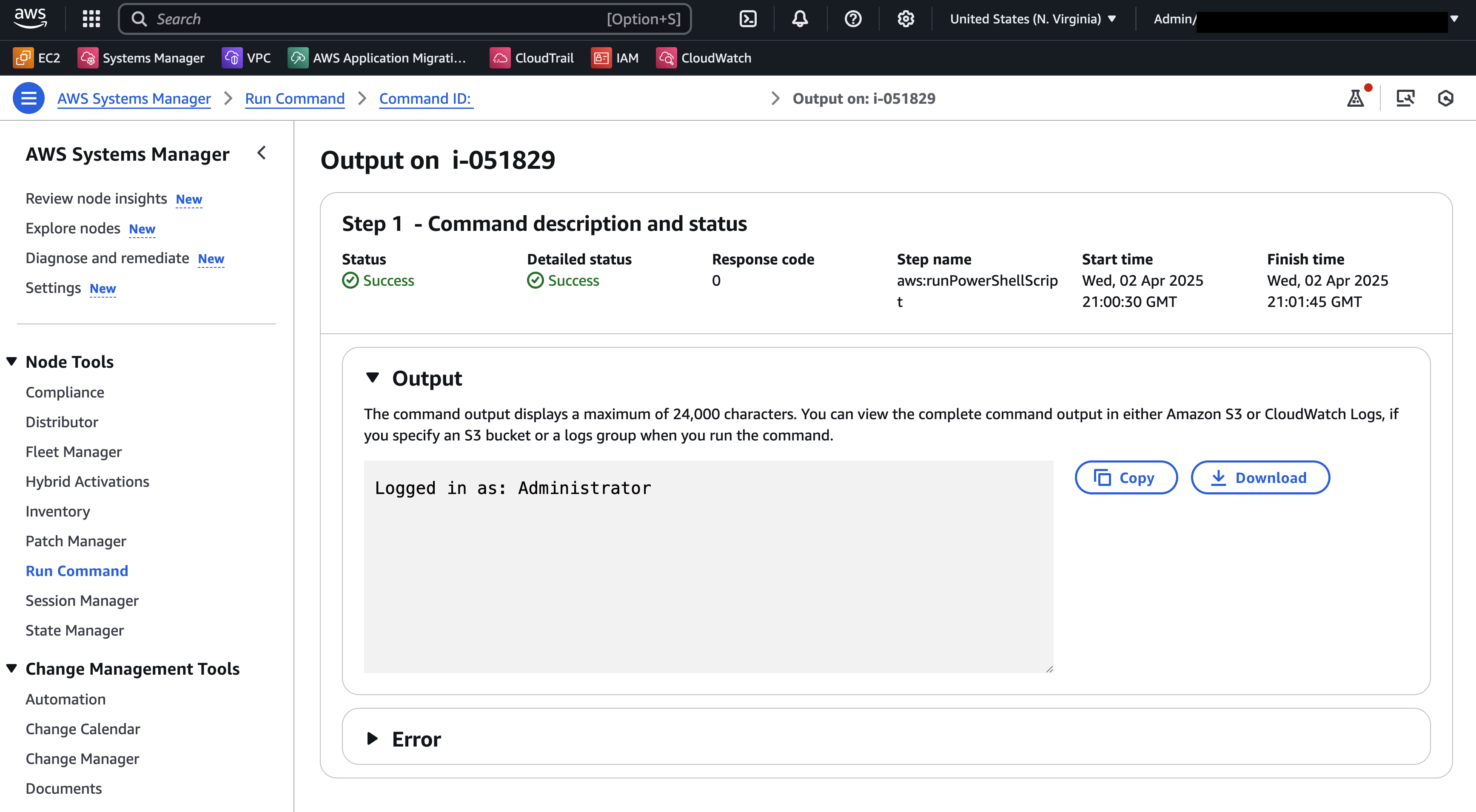
성공적인 명령 호출은 다음과 같은 결과를 보여줍니다: