Setup Monitoring and Source Accounts
In the majority of cases, customers need to visualize and correlate telemetry data from multiple AWS accounts because their services run across many accounts, and sometimes, many regions.
If you only plan to run your observability and services in a single account, you can skip this step.
The first step is to setup your monitoring and source accounts and specify exactly what telemetry you wish to share. You will leverage cross-account observability to do so. Please note that this works on a per-region basis.
For more detailed instructions on how to setup cross-account observability, please refer to the CloudWatch Cross-Account Observability guide.
Monitoring Account
Nominate a monitoring account from which you want to view the telemetry data in a centralized manner.
Then define which accounts will share the data with your monitoring account. You can choose all accounts in your AWS organization or pick individual source accounts. You will also specify what telemetry data you want to share with the monitoring account (e.g. logs, metrics, traces, application signals etc).
You will then link the source accounts to complete the setup.
Your typical monitoring account structure will look similar to this:
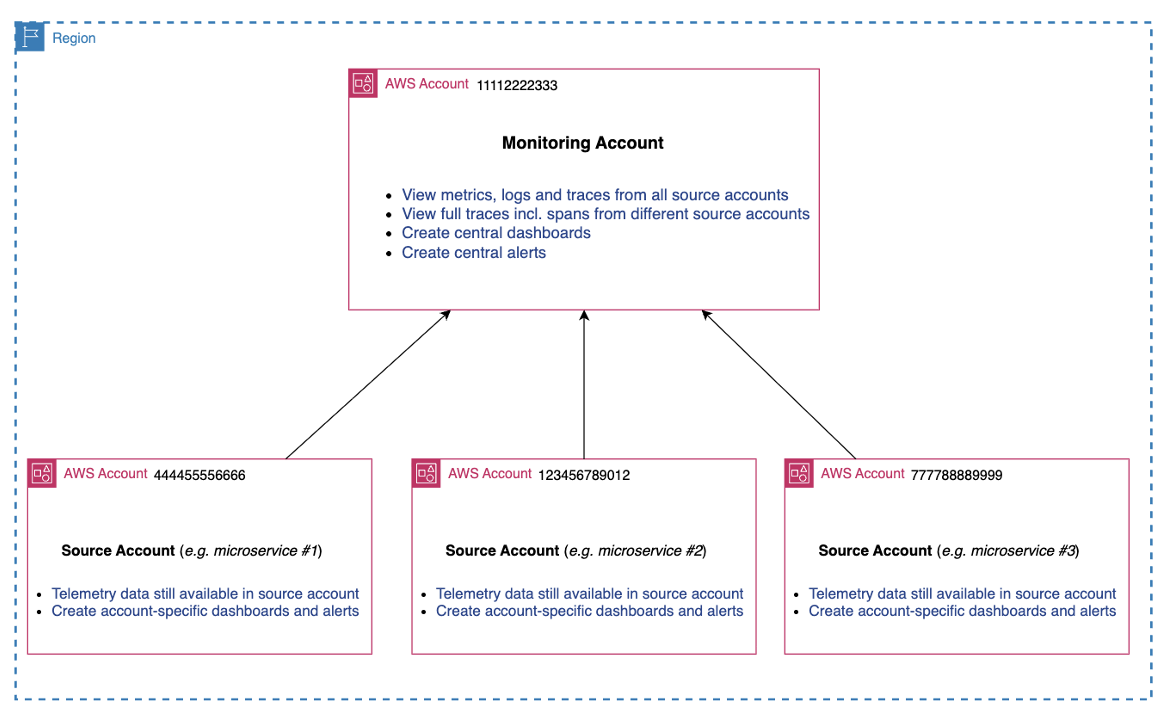
You will configure this on a per-region basis in CloudWatch settings.
With cross-account observability, logs and metrics are NOT copied from the source accounts, but trace data is copied to the monitoring account (with trace copy to the 1st monitoring account included at no additional cost). You simply view logs, metrics, traces and other telemetry centrally.
Multiple Monitoring Accounts
Each monitoring account can be linked with up to 100,000 source accounts.
However, there may be operational situations where you need multiple monitoring accounts. You can have multiple monitoring accounts based on your own requirements. This setup might look something like this:
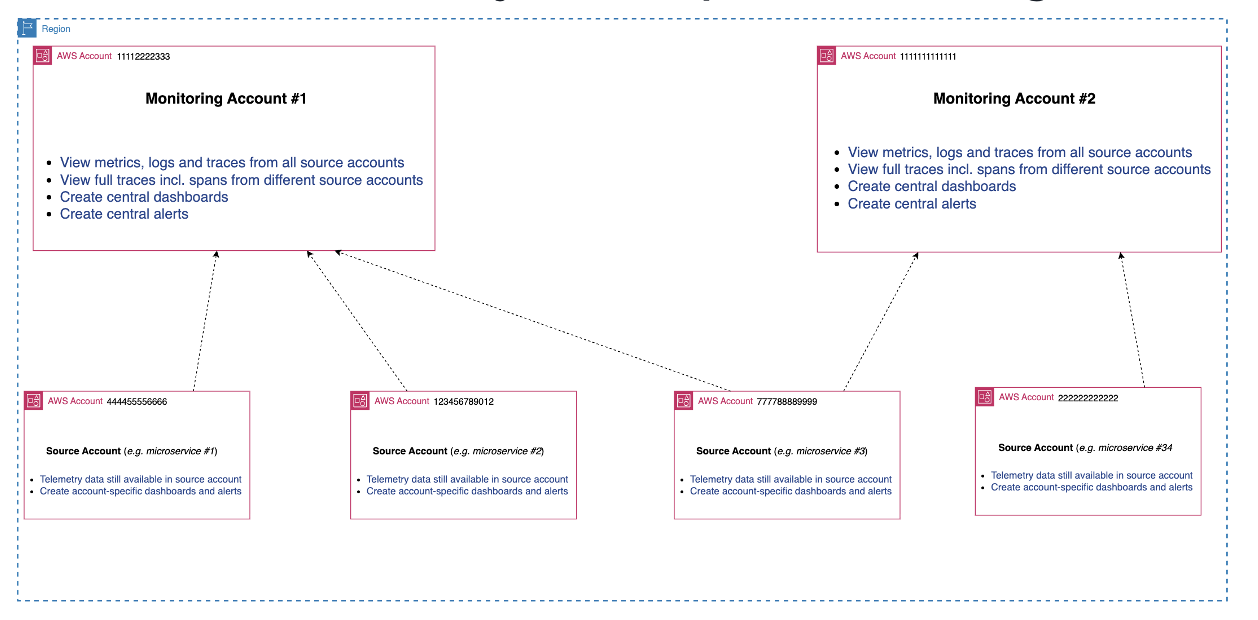
If you need to share data from a single source account with multiple monitoring accounts, that is also configurable as each source account can share data with up to 5 monitoring accounts.
Telemetry Control
You also have control of what telemetry data you share with the ability to specify metric and log filters allowing you extra granularity.
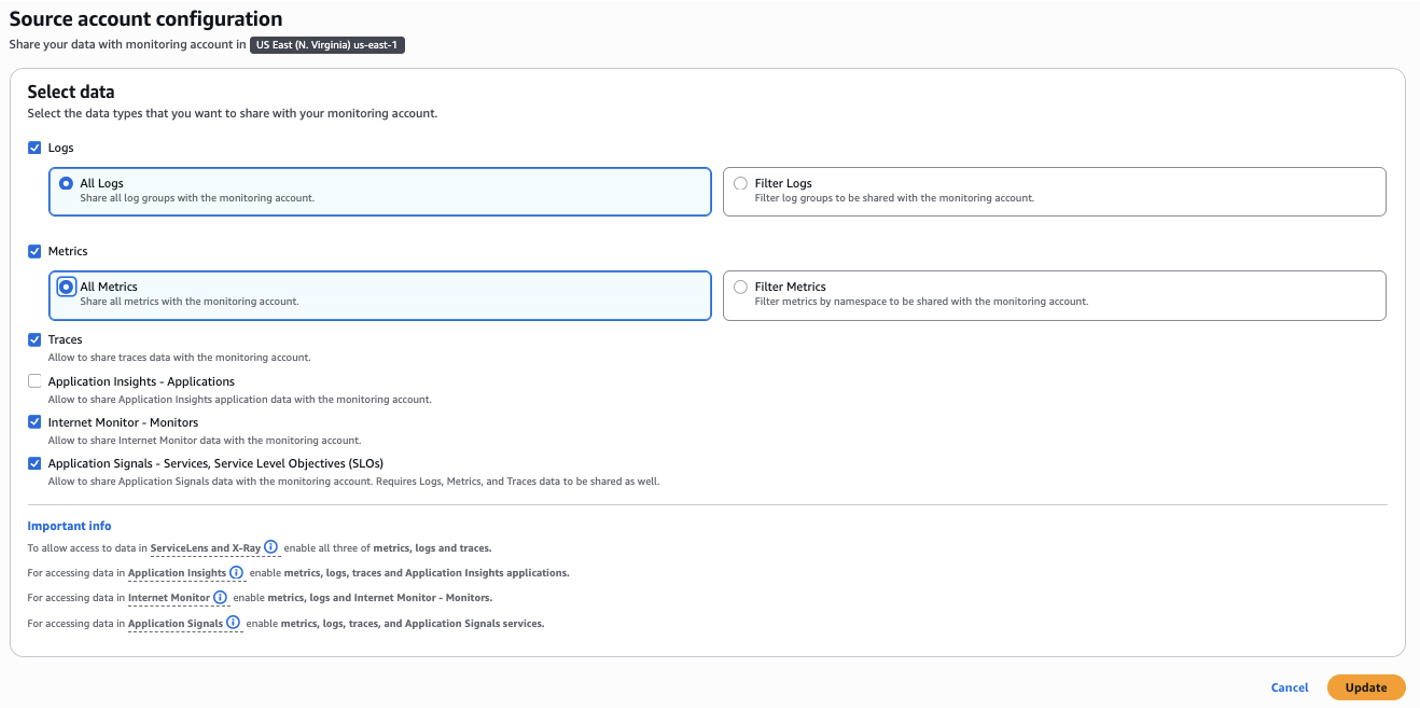
You will now be able to visualize and query cross-account data from multiple accounts in a single monitoring account (per region).
Summary
To summarize:
- Nominate and configure monitoring account(s)
- Configure source accounts
- Fine tune which telemetry you want to share
- Visualize and query all the source account data from the monitoring account
Next Steps
Continue to Setup Unified Data Store